Product bugs and outages
Stay invisible for months: customers complain in conversations, but signals never reach product or engineering.

Conversational AI since 2017
Transcription, evaluation, and analytics on every voice call and text dialogue — in one platform.
100% of communications under control — product problems, agent mistakes, and customer signals are visible across the whole corpus, not in a random sample.
Contact centers review 3–10% of dialogues — sampled by hand against a supervisor's checklist. The other 90–97% no one hears or reads.
Stay invisible for months: customers complain in conversations, but signals never reach product or engineering.
Aren't captured: a supervisor only hears a sample, most mistakes go uncorrected.
Dissatisfaction and intent-to-leave hide in 97% of conversations — critical dialogues aren't prioritized.
Needs, ideas, frequent questions — everything customers say directly fails to reach decision-makers.
A typical mid-sized contact center generates a volume of conversations no human can listen through. Systemic signals get lost in the corpus.
A typical contact center — calls, chats, messengers, every channel at once.
Volume of communications that supervisors can physically listen to only fractions of a percent of.
Why did the customer call? Systemic causes — clunky UI, broken process, unclear terms — are buried in the corpus and never aggregated.
Bugs, product outages, dissatisfaction with terms surface months later — when customers have already left or complained publicly.
Script breaches, incorrect answers, rudeness, weak objection handling go unnoticed — mass training isn't targeted.
Lia processes both voice calls and text dialogues — on one platform. Every conversation is transcribed, analyzed, and labeled automatically — no manual work for the supervisor.
Conversations come in from telephony, CRM, or messengers — automatically. From there a pipeline takes over: a sequence of steps configured once and running without human intervention.
Audio and chats arrive from telephony, CRM, helpdesks, and messengers. Or upload manually via the web UI and API.
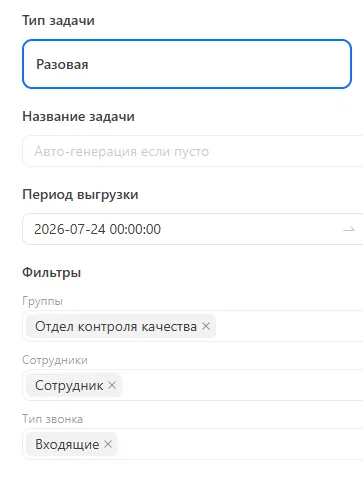
Every conversation runs through a configured sequence of steps. No manual intervention; deduplicated by ID.
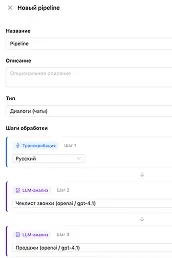
Speech becomes text with speaker diarization and timestamps. For text dialogues this step is skipped.
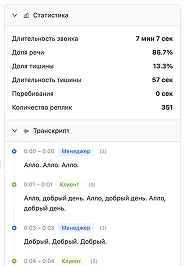
The language model applies the prompt: extracts topics, scores, sentiment, key moments. Output — structured JSON.
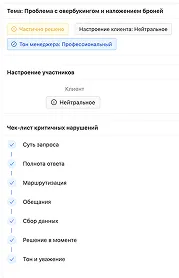
Results appear in the conversation list, widgets, and dashboards. The supervisor sees the contact-center picture immediately.
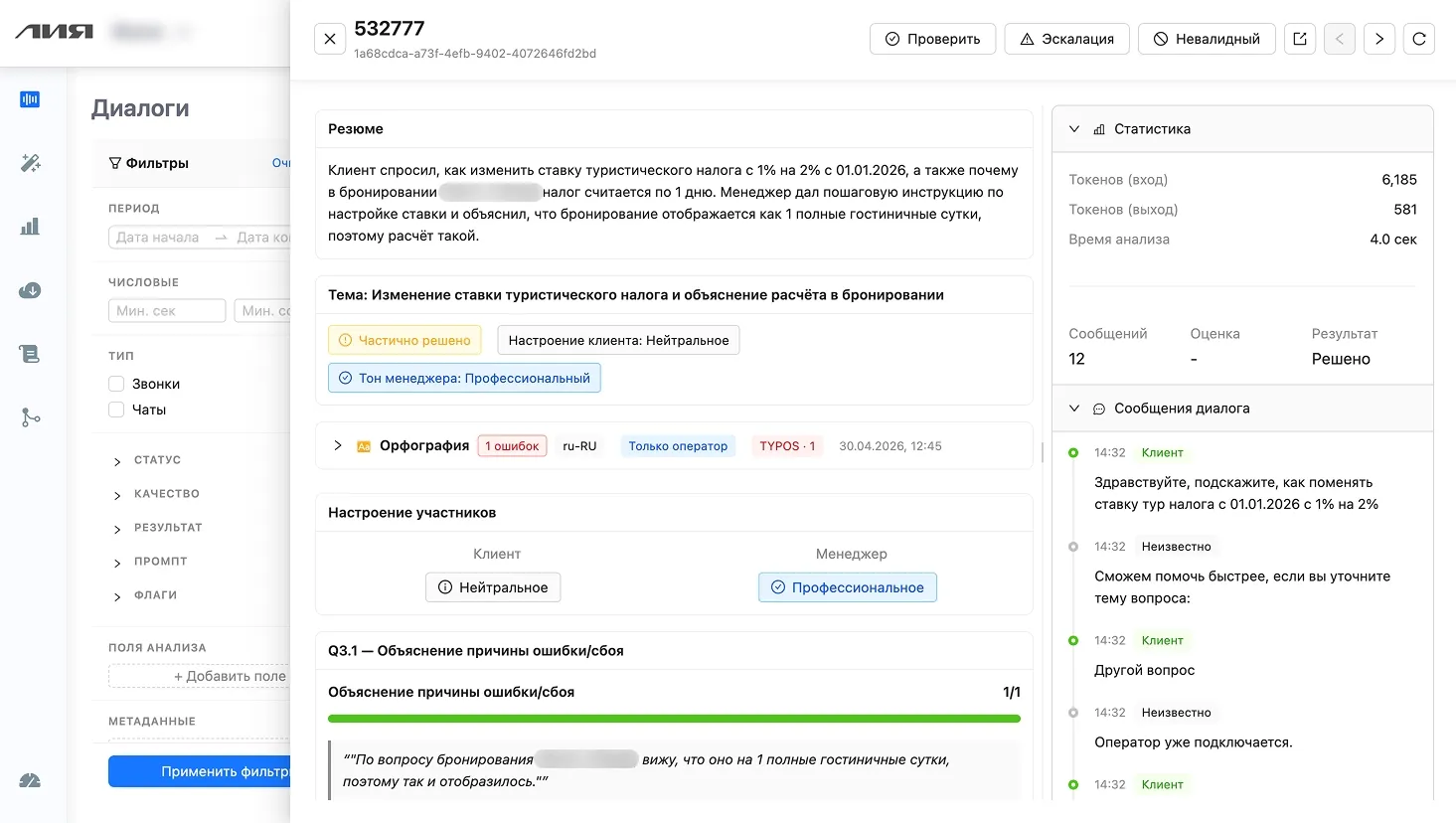
Criteria scores, token and analysis-time stats, resolution status, dialogue transcript — all in one window. Filters on the left segment conversations by period, channel, agent, and analysis fields.
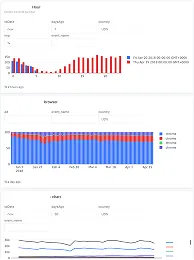
Quality, resolution, sentiment, grammar — for the whole team or in any operator's profile. Switch in one click; data updates automatically.
Average QA score — by script, correctness, and objection-handling criteria
First-contact resolution (FCR) — closed without a repeat customer contact
Negative dialogues — with negative customer sentiment, in supervisor focus
Grammar issues per 1,000 characters — speech and text quality of operators
Dialogues per day — processed automatically, voice and text. 100% coverage
QA score for the period — a strong operator
First-contact resolution (FCR)
Grammar issues per 1,000 characters — below team average
Dialogues in period — voice and text
Every dialogue is scored against 40 criteria across 6 categories — each item comes with a supporting quote and a scored rationale.
Dashboards and metrics are configured for your contact center — we add the slices, KPIs, and reports you need.
After analyzing 10,000 dialogues at one company, three concrete insights surfaced — each turned into action and a measurable result.
Across 100% of conversations the LLM identified a common topic and clustered the inquiries. A third of customers hit the exact same mechanic: delivery-time notifications. Before this analysis, that was invisible — individual complaints looked like one-offs.
Per-agent scorecards make it clear: three have a gap in objection handling, and another 25% of the team has errors in specific script sections. Before this analysis, training was mass-delivered, blind.
The same question, 2,000 times a month. Customers look for the answer, can't find it, contact support. Across 100% of the corpus, patterns like this surface in a couple of clicks.
We'll analyze a slice of your real dialogues and show concrete findings about your team and product — in days, no SQL or BI analyst required.
Four directions where speech analytics changes how a contact center operates — and three platform mechanics that make it work.
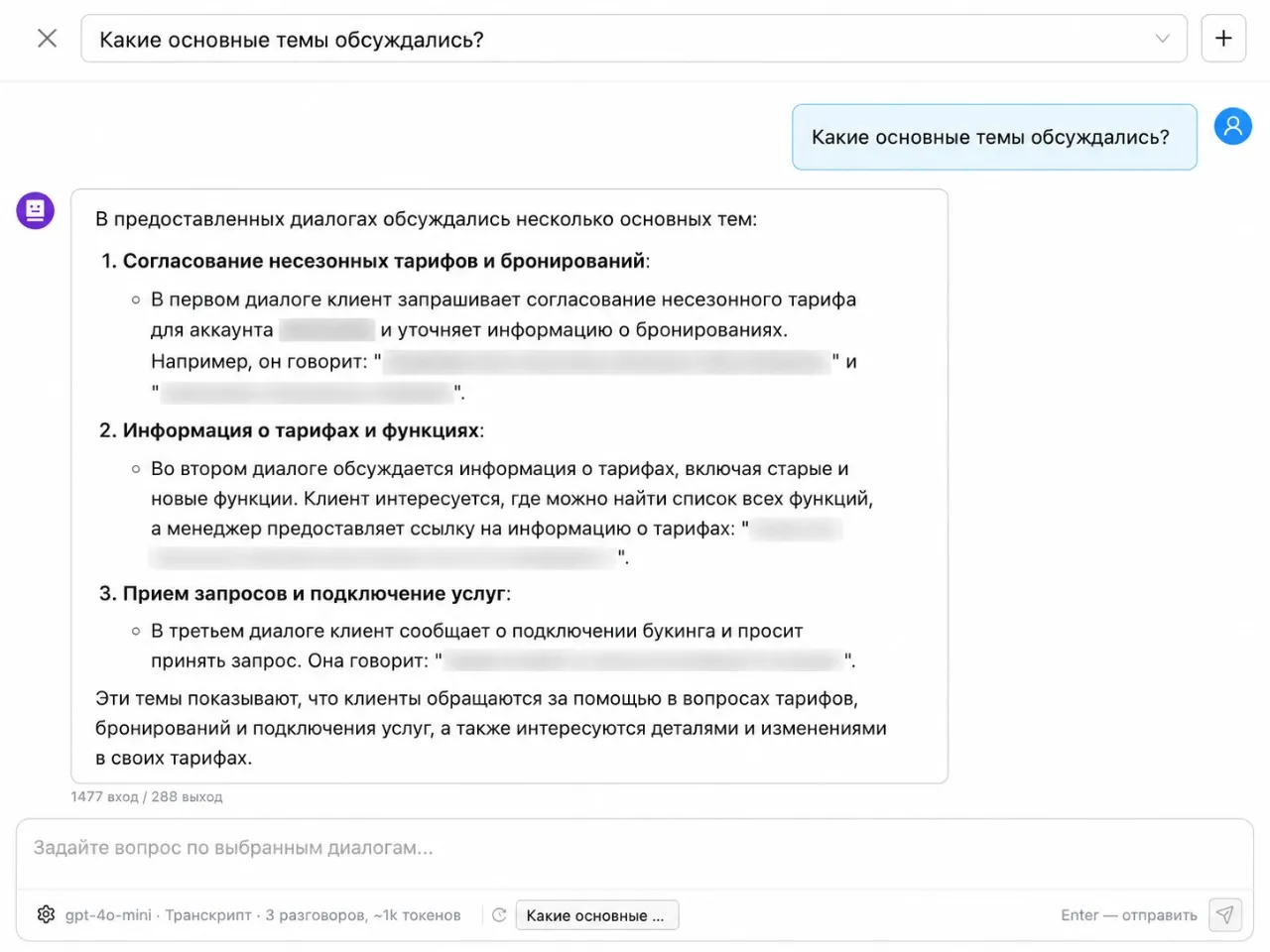
Natural-language analytics: ask in plain text, get a structured answer across the dialogue corpus. No SQL, no BI analysts.
Chat interface: describe what to analyze — the system generates the prompt, JSON schema, and widgets. Tested on real conversations.
Mass analysis on a cheap model across 100% + targeted premium analysis on interesting segments. Pick from 6+ LLM providers.
automatic collection from telephony, CRM, and messengers · API for integration with internal systems · prompt versioning
Ask a question in text — “what were the main topics?”, “where are agents not following the script?”, “what do customers ask most often?” — and get a structured answer over a chosen slice of dialogues. No SQL, no dashboards, no BI analyst.
from $0.04 per dialogue
Before full rollout — a limited pilot analysis on a slice of your calls or chats. Value gets tested on your contact center, not on synthetic samples.
Some of your real calls or chats come into the system — via telephony, CRM integration, or direct upload. We tune analysis criteria to your specifics.
The LLM processes dialogues, scores them, and tags topics. First reports and dashboards form across your contact-center slices.
You see real findings about your contact center: systemic causes, agent issues, customer requests. Decide on scaling from there.
A pilot lets you evaluate value on your data — no risks, no long commitments, with first findings in days, not months.






















"
In our first month with the Lia team we hit 51.2% coverage. A year later it grew to 78.61%, with intent-recognition error below 5%.

"
We set up smart routing by topic and country. We answer instantly — even questions like why we cook without gloves and don't include napkins :)

"
Lia is a full-fledged member of the Localrent support team. Customers notice it, and the team feels meaningful relief on FAQs. Lia keeps us in touch with customers through the night so our specialists can recover.

"
Burnout from chat volume is down, and the team is more engaged in actually solving cases.

"
Lia helps us stay close to our customers and always reach them in time. Response speed is critical in kick-sharing, and Lia clearly makes us faster.






Of requests automated
%Saved per request
RUBSaved per request
%Of requests automated
%Of requests automated
%Saved per request
Faster issue resolution
%Faster issue resolution
Of requests closed by the bot
%Saved per request

We'll get on a call, walk through your contact-center tasks, and align on pilot scope. Reply within one business day.
'%20fill='%237569E7'/%3e%3cpath%20d='M10.5%2013.5L15%2018L19.5%2013.5'%20stroke='white'%20stroke-linecap='round'%20stroke-linejoin='round'/%3e%3c/svg%3e)